 JoyForm
Send Google Form Responses to WhatsApp
Receive instant WhatsApp notifications for every Google Form submission. Never miss a lead again with real-time form response alerts directly to your phone.

Get Started in 3 Simple Steps
Set up WhatsApp notifications for your Google Forms in under 2 minutes. No technical knowledge required.
Install Extension
Install the JoyForm add-on extension from Google Workspace Marketplace. It takes just one click and works with any Google Form.

Open Google Form
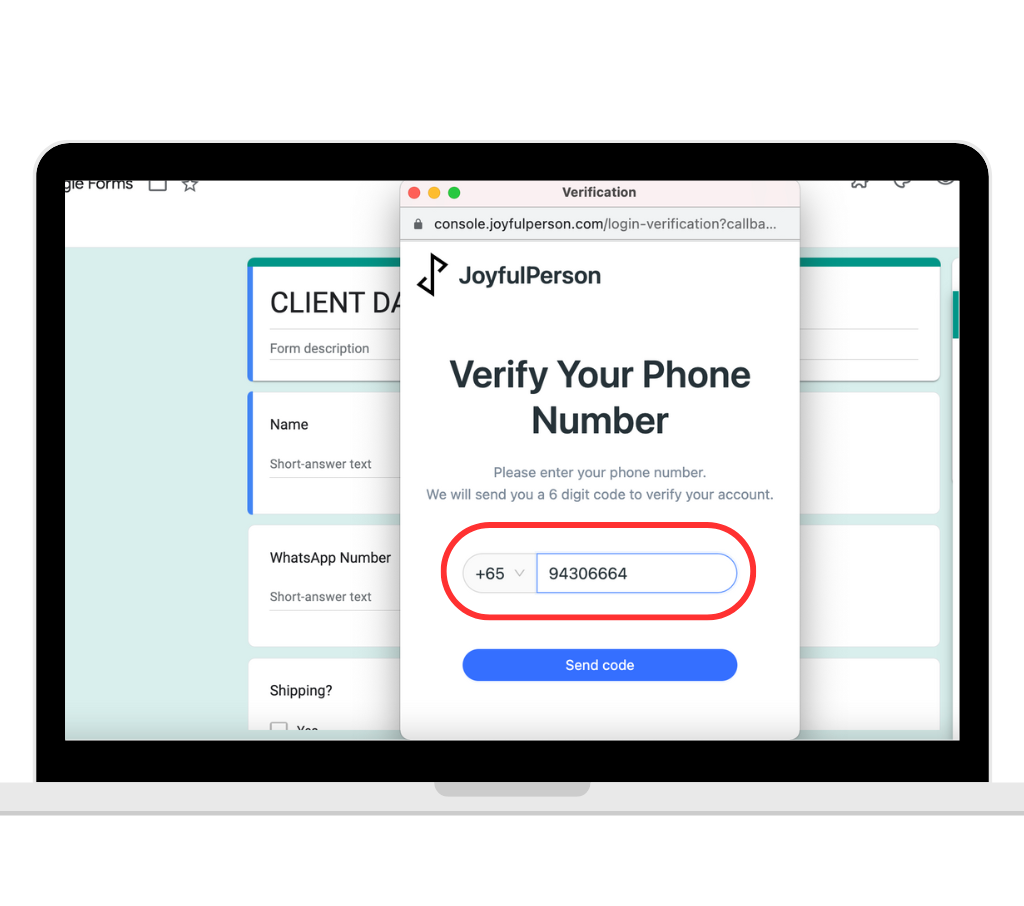
Open your Google Form and select Joyform Notifications in the add-ons icon. Continue the installation by verifying your WhatsApp phone number.
Enable JoyForm Notifications
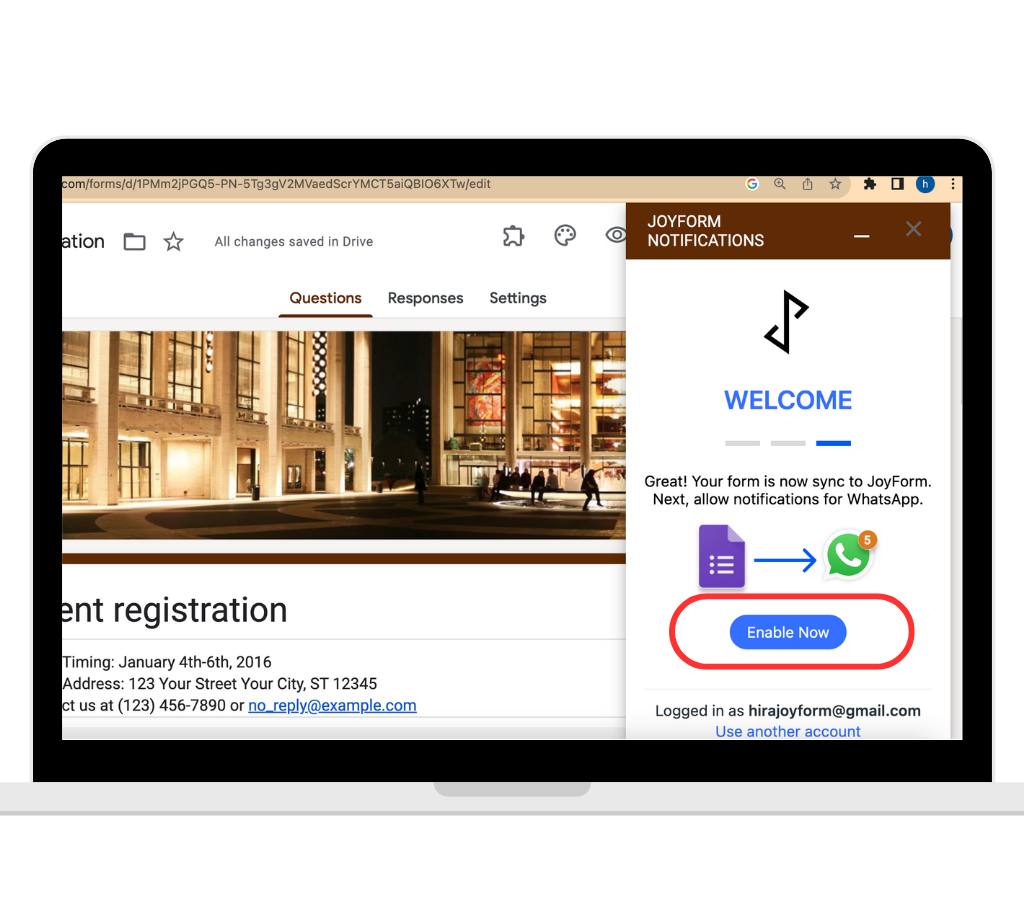
Click Enable Now to connect your WhatsApp number. You'll receive instant notifications for every new form response.
No credit card required • Setup in under 2 minutes
Features
Transform your Google Forms into a powerful lead generation machine with instant WhatsApp notifications.
Instant Notifications
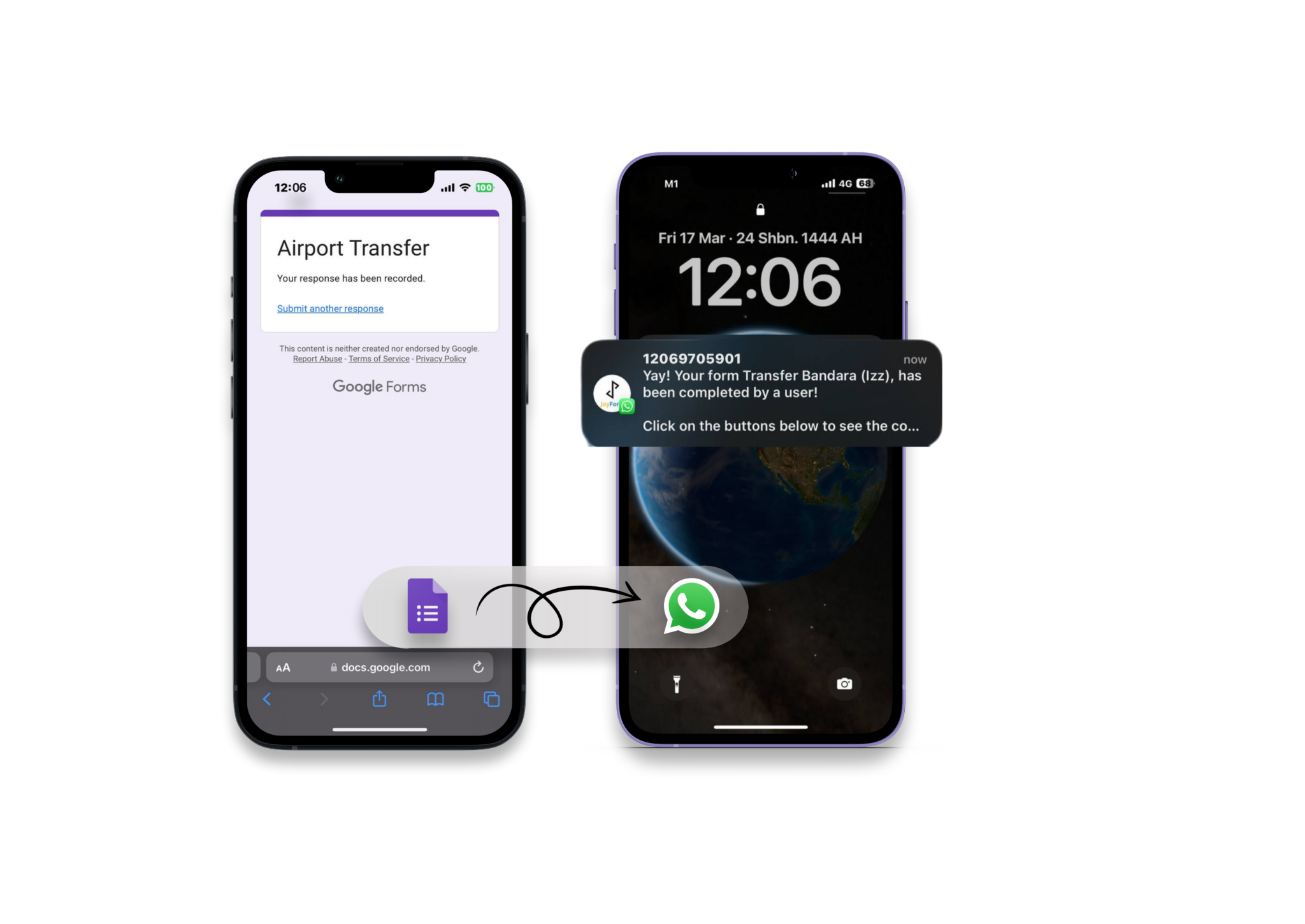
Receive form responses on WhatsApp the moment they're submitted — no more refreshing Google Sheets or inboxes.
One-click Follow-up
Start conversations instantly whenever a new form submission comes in. Click directly from the WhatsApp notification to begin chatting.
Team & Group Sharing
Share responses instantly with your team in a WhatsApp group, or connect multiple numbers at once. Everyone stays in the loop, effortlessly.
People Who Already Love Us
Trusted by business owners and operations managers from more than 120 countries
"I used to copy and re-arrange form responses to send to other people in my team. JoyForm Notifications takes all that stress away. Now I only need to receive the information via WhatsApp and share with my team in a minute. Customer service is top notch. I will continue to use this app. Commendable innovation."
"The idea of add on is amazing and really helpful. It keeps me always on track with every single submission I get through the Google form and very easy to configure. Great job team!"
Need Help?
Want free step-by-step guide or contact our team for further assistance?
Get Our Guide
Download our comprehensive setup guide with screenshots and troubleshooting tips.
📖 Click Here for GuideChat with us on WhatsApp
Get personalized help from our support team. We typically respond within 24 hours.
💬 Chat with us on WhatsAppQuick Tip: Make sure your WhatsApp number is verified and you have the latest version of WhatsApp installed for the best experience.